AI Customer Support Tools for Small Business: Affordable Options in 2026
Customer support is the frontline of your business, but for small teams it's also one of the biggest bottlenecks. Every support ticket that sits unanswered is a customer losing patience. In 2026, AI customer support tools for small business have matured to the point where even a solo founder can offer 24/7 support without hiring a team. The key is knowing which tools actually work on a small business budget and which ones are overkill.
What AI Customer Support Actually Does
AI support tools aren't magic — they handle specific, well-defined tasks:
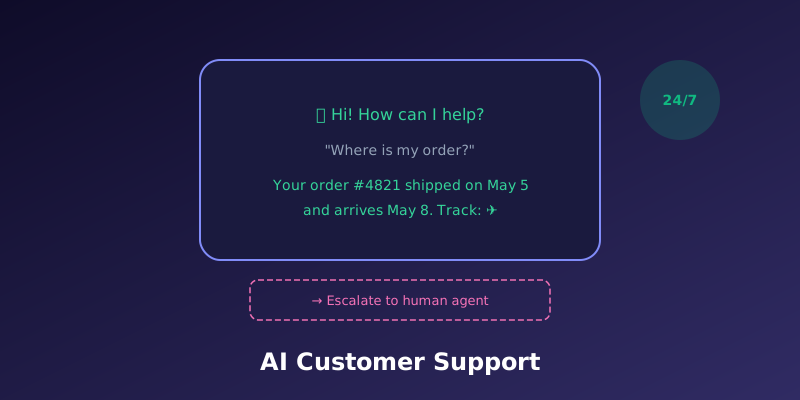
- Instant responses to common questions: "What are your hours?" "How do I reset my password?" "Where's my order?" These repetitive questions make up the majority of support volume for most small businesses, and AI can answer them accurately in seconds.
- Intelligent routing: AI can read an incoming message, classify it (billing question, technical issue, complaint, sales inquiry), and route it to the right person or department. This eliminates the "let me transfer you" shuffle.
- Conversation summarisation: When a complex issue does reach a human agent, AI can provide a summary of the entire conversation so far, including what's been tried and what the customer still needs. No more "can you repeat what you told the chatbot?"
- After-hours coverage: Your AI chatbot works 24/7, handling basic queries and collecting information from customers who reach out outside business hours. When your team logs in the next morning, they have context and can respond faster.
- Consistent tone and accuracy: AI always follows your brand guidelines and never has a bad day. Responses are consistent, accurate (when trained on your actual knowledge base), and on-brand.
Best Affordable AI Support Tools for Small Business in 2026
1. Tidio (Free tier available, paid from $29/month)
Tidio is one of the most accessible AI chatbot platforms for small businesses. The free tier includes a basic chatbot with up to 50 conversations per month, which is enough to test whether AI support works for your business. The paid Lyro AI plan ($29/month) handles unlimited conversations and can answer questions based on your website content and FAQ page. Setup takes under an hour — you connect Tidio to your site, point it at your FAQ, and the AI learns from your existing content. It integrates with Shopify, WordPress, and Wix.
2. Chatbase (From $19/month)
Chatbase lets you train a custom GPT-powered chatbot on your own data — upload PDFs, paste your website URL, or connect your help centre. The bot then answers customer questions using only your content, which means it won't hallucinate answers from the broader internet. The $19/month plan supports 2,000 message credits and one chatbot. This is a good choice if you have detailed product documentation or a knowledge base that the AI can reference.
3. Intercom Fin (Part of Intercom, from $39/month for small teams)
Intercom's Fin AI agent is the most sophisticated option on this list. It uses GPT-4 to answer customer questions, but with guardrails — it only provides answers it can verify from your help centre content, and it hands off to a human when it can't answer confidently. The resolution rate for straightforward questions is typically 50–70%, meaning your human agents only deal with the complex cases. Intercom is more expensive than other options but offers the best quality if you can justify the cost.
4. Zendesk AI (Part of Zendesk, from $55/agent/month)
Zendesk's AI features include automatic ticket categorisation, suggested responses for agents, and a bot that can handle common questions. The AI is deeply integrated into the Zendesk help desk workflow, which is valuable if you're already using Zendesk. The cost per agent makes it less attractive for very small teams, but for businesses with 5+ support agents, the productivity gains from AI-assisted responses and automatic routing can justify the price.
5. Crisp (Free tier available, Pro from $25/month)
Crisp is a shared inbox and chat platform that includes AI features on its free tier. The AI can suggest responses, translate messages in real-time, and summarise long conversations. The free tier supports unlimited contacts and a basic chatbot, making it the best zero-cost option for small businesses that want to dip their toes into AI-powered support.
How to Choose the Right Tool
- Just starting out, no budget: Crisp free tier or Tidio free tier. Get a basic chatbot running and see how customers interact with it.
- Have a knowledge base or FAQ: Chatbase. Train the bot on your existing content and it's immediately useful.
- Need best-in-class AI quality: Intercom Fin. Highest resolution rate but highest cost.
- Already using a help desk: Add AI to your existing platform (Zendesk AI, Freshdesk AI, or Help Scout AI) rather than adding a separate tool.
Common Mistakes to Avoid
- Don't hide your human support: The most frustrating experience for customers is being trapped in a chatbot loop with no way to reach a real person. Always provide a clear "talk to a human" option. AI should reduce wait times, not eliminate human access.
- Don't let the AI go unchecked: Review your AI's responses regularly. AI can confidently provide wrong answers, and in customer support, wrong information is worse than no information. Set up a review process where flagged or low-confidence answers are checked by a human.
- Don't skip the training: An out-of-the-box chatbot that doesn't know your products, policies, or processes will frustrate customers. Spend time feeding it your FAQ, product documentation, and common support scripts. For more on how to choose AI tools that fit your specific needs, see our guide on how to choose AI software for your small business.
- Don't ignore the data: AI support tools generate valuable data about what customers are actually asking. Use conversation logs and analytics to identify product issues, documentation gaps, and process improvements. The insights are often more valuable than the time saved.
For more on using AI to streamline business operations, see our guide on AI tools for small business hiring and recruitment.
Setting Up Your First AI Support Tool: A Quick Checklist
- Document your 20 most common customer questions and answers.
- Choose a tool that fits your budget and platform (website builder, e-commerce platform).
- Upload your FAQ, product docs, and support scripts to train the AI.
- Test thoroughly with your own team before making it live to customers.
- Set up clear escalation paths — the AI should hand off to a human when it doesn't know the answer.
- Monitor the first week closely, reviewing every conversation the AI handles.
- Iterate based on what you learn — add missing answers, fix incorrect responses, refine the escalation triggers.
Final Thoughts
AI customer support tools are no longer a luxury reserved for enterprise companies. In 2026, affordable AI chatbot options for small business start at zero cost and scale up as your needs grow. The key is to start small — set up a basic chatbot on your free tier, learn from the conversations it handles, and upgrade only when you've outgrown the free plan. The best AI support implementation is one that your customers barely notice — they just experience faster, more consistent responses to their questions.