AI Bookkeeping and Accounting Tools for Small Business in 2026
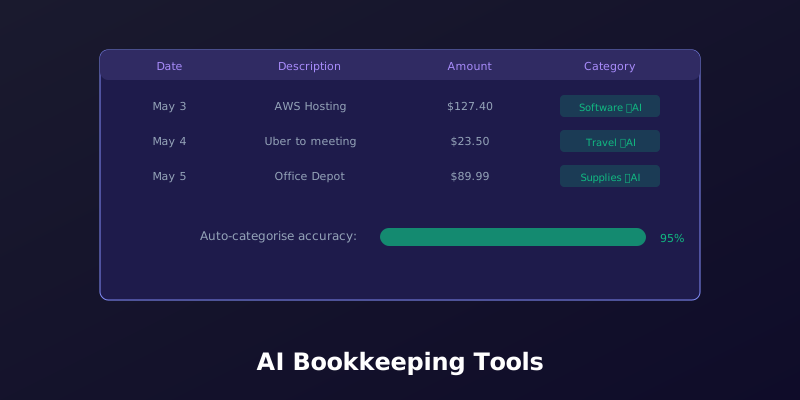
Bookkeeping is the task every small business owner knows they need to do, but nobody enjoys doing. Categorising transactions, chasing receipts, reconciling bank statements, and preparing reports — it's repetitive, time-consuming, and easy to get wrong. In 2026, AI bookkeeping tools for small business can automate 80% of this work, reducing errors and freeing up hours every week. The best part: you don't need to be an accounting expert to use them.
What AI Actually Automates in Bookkeeping
The term "AI bookkeeping" covers several distinct capabilities. Understanding what each one does helps you pick the right tool:
- Transaction categorisation: AI reads the description and amount of each bank transaction and assigns it to the correct category (Office Supplies, Travel, Meals, Software, etc.). Most tools learn from your corrections over time — if you recategorise a transaction, the AI remembers and applies the same logic next time. After 2–3 months of corrections, categorisation accuracy typically reaches 95%+.
- Receipt scanning and matching: Take a photo of a receipt with your phone, and AI extracts the date, vendor, amount, and tax. The receipt is then matched to the corresponding bank or credit card transaction automatically. No more shoeboxes of paper receipts.
- Bank reconciliation: AI matches your recorded transactions against bank statements, flagging any discrepancies. This used to be a tedious manual process — AI can do it in minutes and catch errors that humans might miss.
- Invoice processing: Upload a supplier invoice and AI extracts the key data (vendor, amount, due date, line items) and creates a bill in your accounting software. Some tools also flag duplicate invoices and unusual amounts.
- Cash flow forecasting: AI analyses your historical income and expenses to predict future cash flow. This helps you anticipate shortfalls weeks before they happen, giving you time to arrange financing or adjust spending.
- Anomaly detection: AI flags unusual transactions — duplicate payments, amounts significantly higher than typical for a vendor, or transactions in unexpected categories. This catches errors and potential fraud early.
Best AI Bookkeeping Tools for Small Business in 2026
1. QuickBooks Online with QuickBooks AI (From $30/month)
QuickBooks remains the most widely used small business accounting software, and its AI features have improved significantly in 2026. QuickBooks AI auto-categorises transactions (with reported 85% accuracy out of the box, improving to 95%+ after training), matches receipts to transactions, and generates cash flow forecasts. The standout feature is QuickBooks Assist, an AI assistant that can answer questions about your financial data in plain English — "How much did I spend on marketing last quarter?" gets you an instant, accurate answer without running a report.
2. Xero with AI Features (From $15/month)
Xero's AI focuses on reducing manual data entry. The Hubdoc receipt scanning feature extracts data from receipts and bills with good accuracy, and Xero's bank reconciliation AI suggests matches that speed up the reconciliation process. Xero's cash flow forecasting uses machine learning to predict future cash positions based on your historical patterns. The lower starting price makes it attractive for very small businesses and freelancers.
3. Wave (Free for basic accounting, AI features in paid add-ons)
Wave offers free accounting, invoicing, and receipt scanning for small businesses. The free receipt scanning feature uses AI to extract data from receipt photos, and the paid bookkeeping service ($149/month) includes AI-assisted categorisation and reconciliation handled by Wave's team. If you need professional bookkeeping help but want AI to reduce the hours (and cost), Wave's hybrid approach is worth considering.
4. Vic.ai (Enterprise-focused, pricing on request)
Vic.ai is the most advanced AI accounting platform, handling invoice processing, purchase order matching, and approval workflows. It's designed for larger organisations, but mid-size small businesses processing 500+ invoices per month may find it worthwhile. The AI handles the entire accounts payable process autonomously, with human review only for exceptions.
5. Docyt (From $200/month)
Docyt is specifically designed for multi-location small businesses — restaurants, retail stores, dental practices, and similar businesses with complex accounting across multiple entities. The AI automates bookkeeping, receipt matching, and financial reporting across all locations. The price is high for a single-location business, but for businesses with 3+ locations, the time savings justify the cost.
How to Get the Most from AI Bookkeeping
- Invest time in the first month: AI bookkeeping tools need training. Spend extra time in the first 30 days reviewing and correcting categorisations. Each correction teaches the AI, and accuracy improves rapidly after the learning period.
- Connect all your accounts: Link every bank account, credit card, and payment platform (PayPal, Stripe, Square) to your accounting software. AI works best with complete data — missing accounts mean missing transactions and inaccurate reports.
- Review the AI's work weekly: Don't go fully hands-off. Spend 15 minutes each week reviewing flagged transactions and the AI's categorisation suggestions. This catches errors early and continues training the system.
- Use the forecasting features: Cash flow forecasting is the highest-value AI feature for most small businesses. A prediction that shows a cash shortfall in 6 weeks gives you time to act — delay non-essential purchases, accelerate receivables, or arrange a line of credit.
- Keep your accountant in the loop: Share AI-generated reports with your accountant monthly. They can spot issues the AI might miss, especially around tax-deductible expenses and compliance requirements.
Cost vs Value: When Does AI Bookkeeping Pay Off?
- Freelancers with <50 transactions/month: Wave's free tier is sufficient. AI receipt scanning handles the basics, and you don't need advanced features.
- Small businesses with 50–200 transactions/month: Xero at $15–30/month offers the best value. AI categorisation and receipt matching save 3–5 hours per month.
- Growing businesses with 200+ transactions/month: QuickBooks Online at $30–60/month. The AI assistant and cash flow forecasting justify the higher price through time savings and better financial visibility.
- Multi-location businesses: Docyt or a managed bookkeeping service. The complexity of inter-entity accounting makes AI automation essential rather than optional.
For more on using AI to automate business operations, our guide on choosing AI software for your small business provides a framework for evaluating AI tools across all business functions.
Final Thoughts
AI bookkeeping in 2026 isn't about replacing your accountant — it's about automating the parts of bookkeeping that don't require human expertise. Transaction categorisation, receipt matching, and bank reconciliation are tasks that AI handles faster and more accurately than humans, while freeing up your accountant to do what they do best: provide strategic financial advice and tax planning. The best AI accounting software for small business is whichever one fits your transaction volume and budget while integrating smoothly with your existing workflow. Start with a free or low-cost option, let the AI learn your business, and upgrade when the limitations of your current tool become clear.